Open the menu on the left side of the screen and select "Quality Control" > "Breaking Samples".
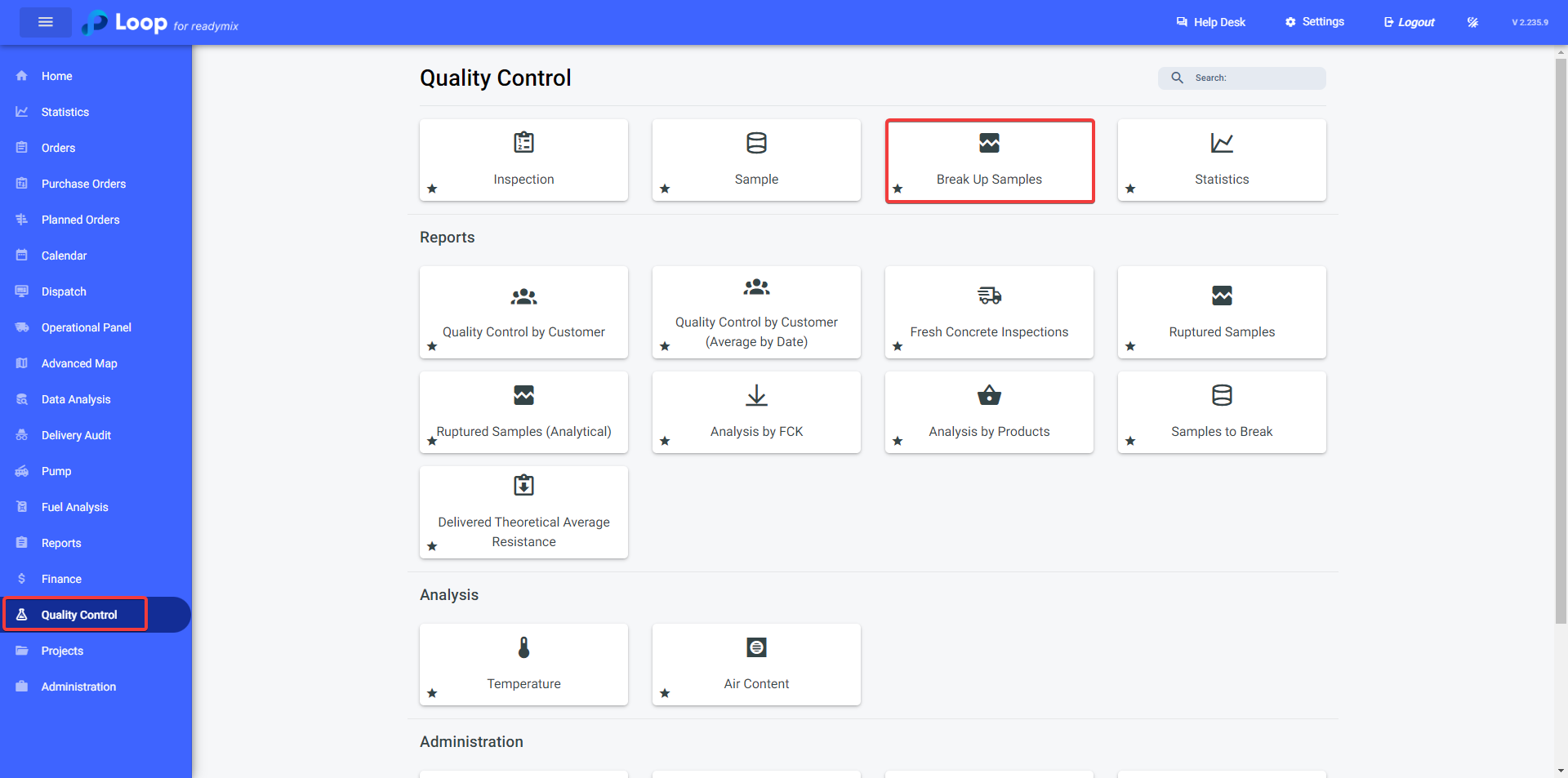
¶ Breaking Samples
On the "Breaking Samples" screen, select the Test Date, Plant, Laboratory and Age (if necessary).
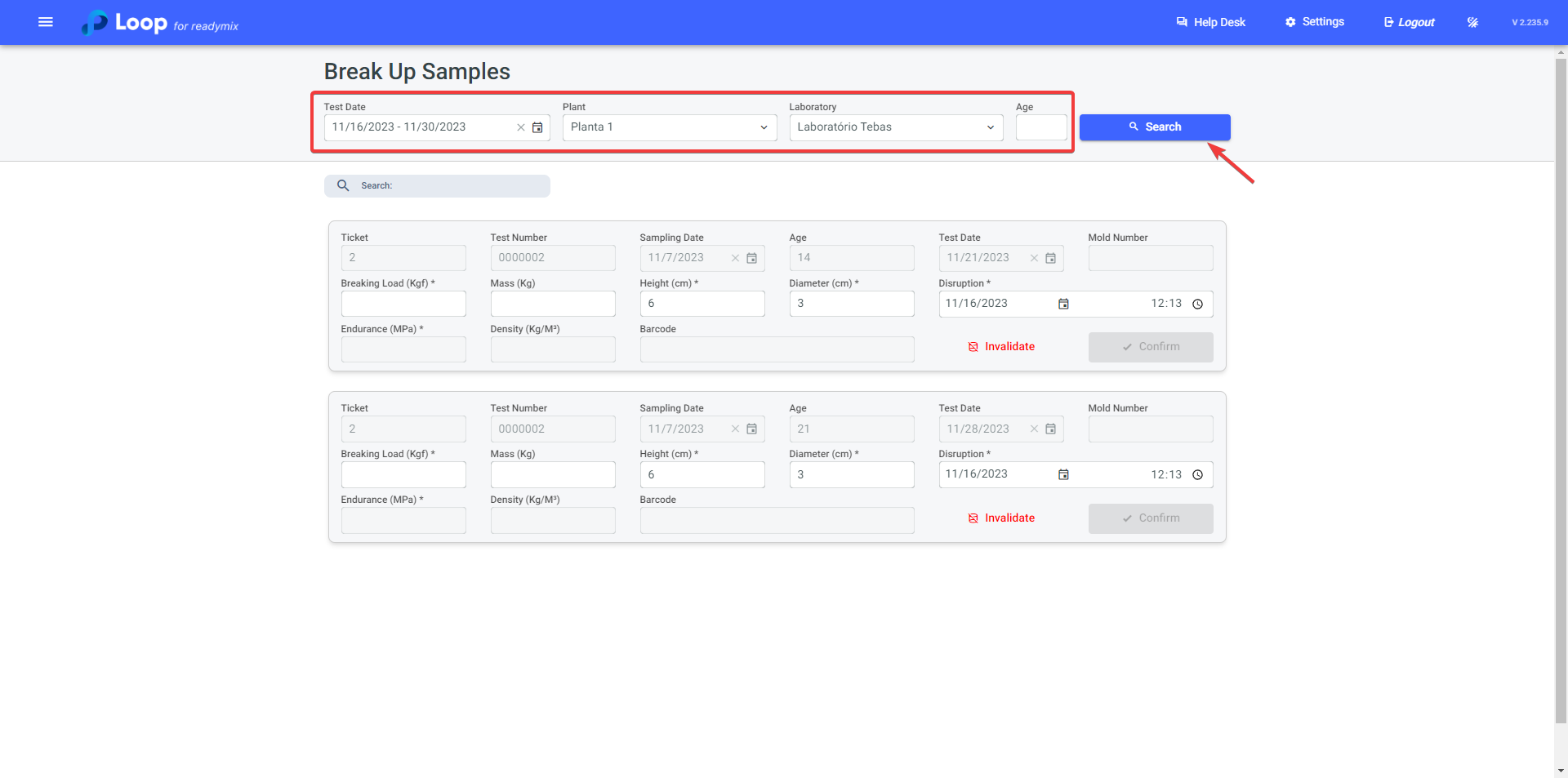
After locating the sample to be broken, fill in the data:
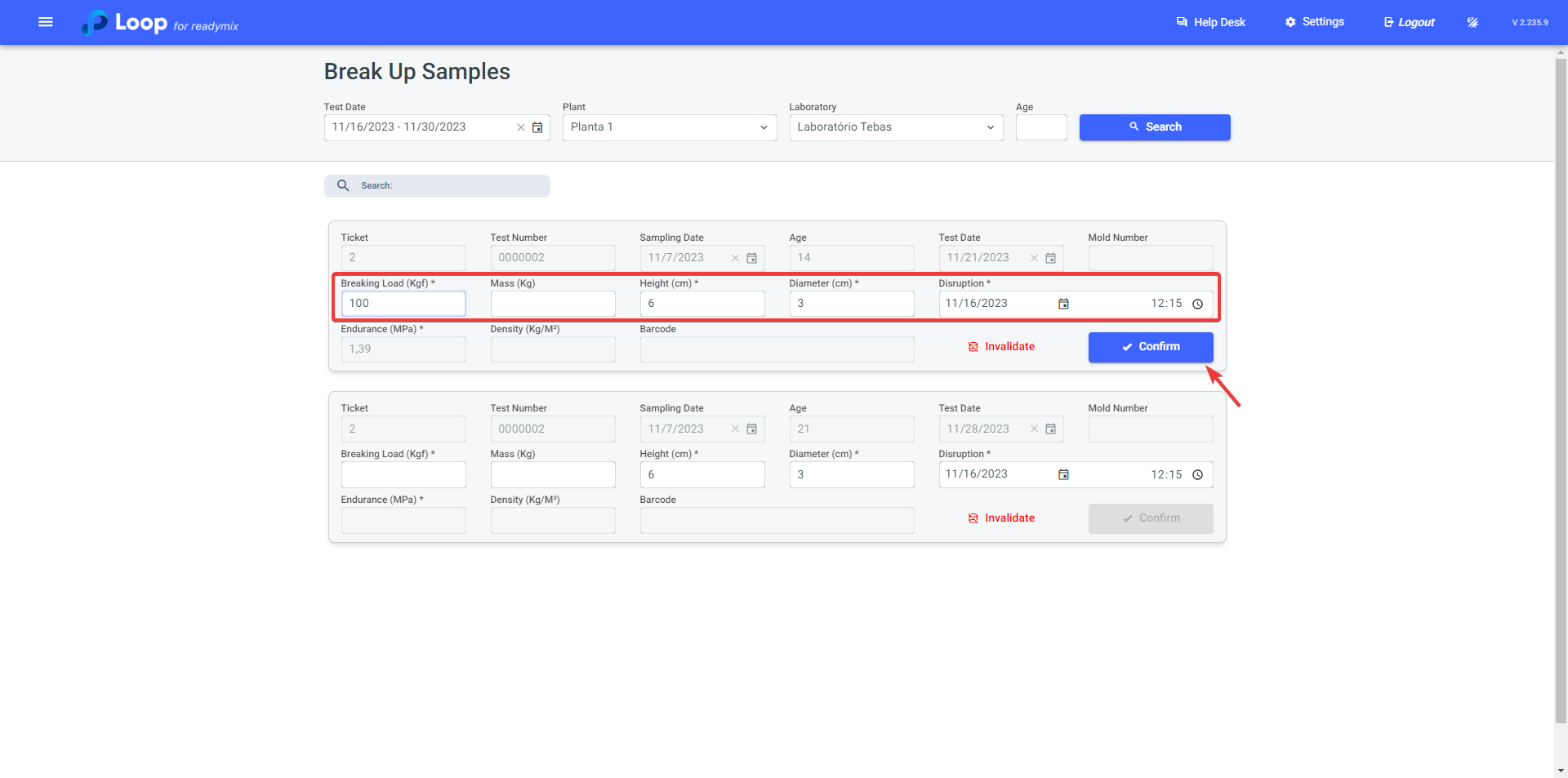
- Breakage Load (Kgf): Refers to the Breakage Load, the maximum force supported by a Readymix test specimen before breaking or failing during a strength test. Fill in the data collected during the breaking process.
- The **Height **and **Diameter **fields will be filled automatically.
These options are configured in the "Sample Type." To learn more, visit: https://docs.loop4.io/en/articles/38-inspection-typeS
After confirming all the data, click confirm to break the sample.
¶ Invalidating Sample
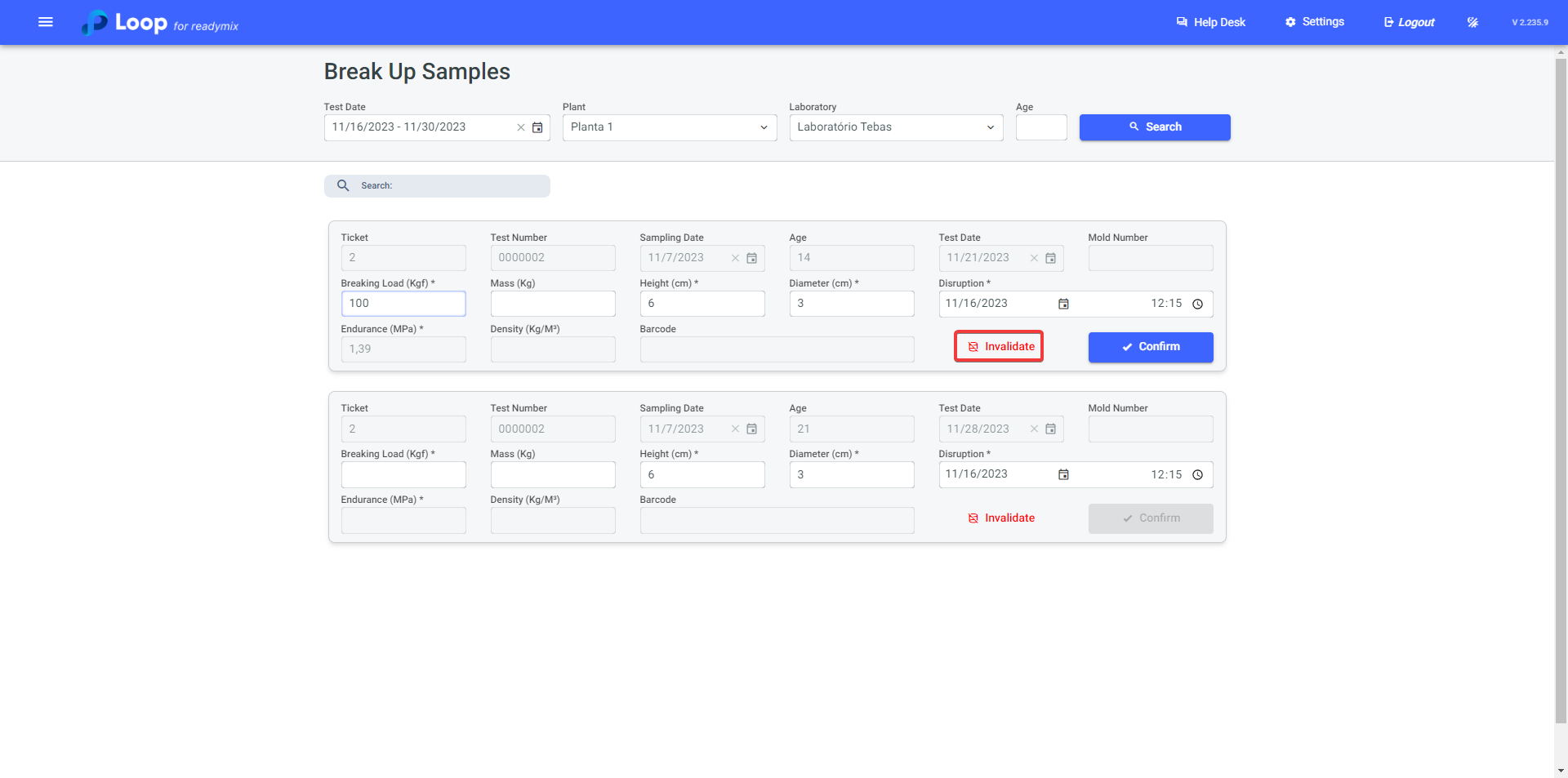
If the sample does not meet the required standards and needs to be invalidated, simply click the "Invalidate" option.
Thank you for using our tutorial; we hope it has been helpful to you. We are always committed to providing the necessary information and assisting you in using our Loop 4 ReadyMix.