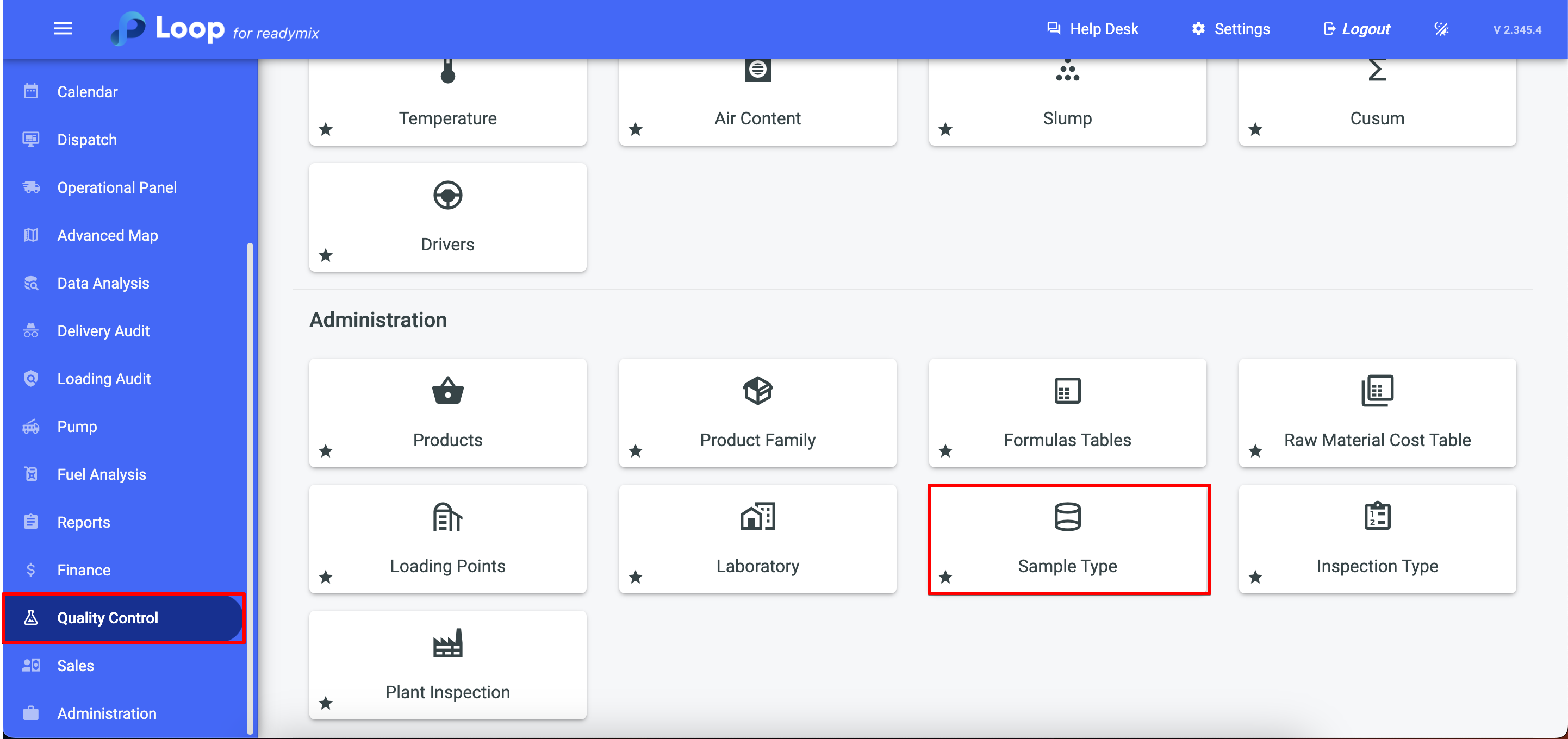
Open the menu on the left side of the screen and select "Quality Control">"Sample Type".
¶ Add Sample Type
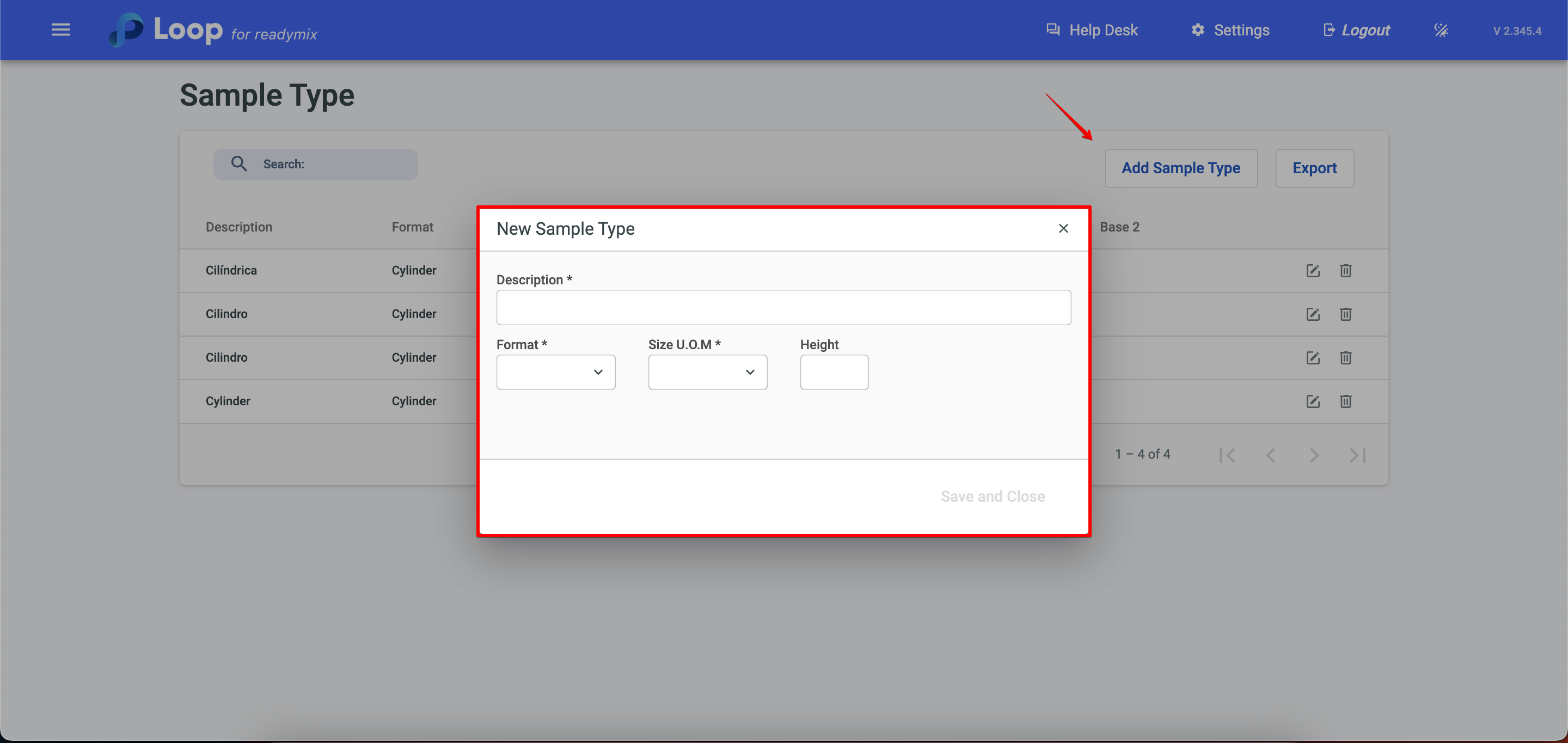
Click Add Sample Type and fill in the required data:
- Description
- Format
- Size U.O.M
- Height
- Diameter
After you are done click save and close
Thank you for using our tutorial and we hope it was helpful. We always strive to provide you with the necessary information and help you use our Loop 4 ReadyMix.